

How to Activate Windows: Your No-Stress Guide to a Genuine License
Not activating Windows is like buying a fancy sports car and leaving it parked in the garage. Sure, it looks cool, but you’re missing out on the full, exhilarating experience (and honestly, you’ll get annoying reminders to take it for a spin).
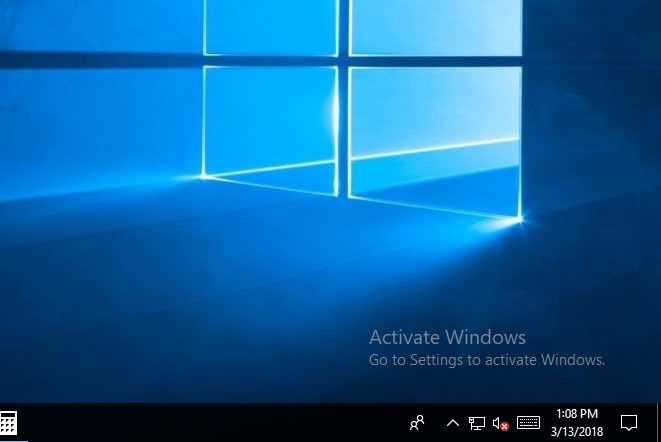
If you are seeing the “Activate Windows” watermark or dealing with those annoying notifications, you’ve come to the right place. This guide from YourSoftwareKeys.com will walk you through every legitimate method or way to activate Windows, explain why it’s important, and help you avoid common mistakes. Let’s turn that digital nagging into a full functional operating system.
Why is it important to activate Windows? It’s More Than Just Removing a Watermark.
Let’s be real: that ugly text in the corner is annoying. But activation is about more than aesthetics. Microsoft uses activation to verify that your copy of Windows is genuine and hasn’t been used on more devices than the software license terms allow.
Here’s what you unlock with a genuine, activated Windows license:
Personalization Freedom: Change your wallpaper, themes, and accent colors. Yes, the default blue is fine, but your desktop should feel like yours.
Crucial Security Updates: Microsoft regularly patches vulnerabilities. An unactivated Windows might miss these updates, leaving your PC exposed to security risks. A 2023 report from the Cybersecurity and Infrastructure Security Agency (CISA) consistently lists unpatched software as a primary attack vector.
Access to All Features: Some settings and customization options in the Settings app remain locked.
Peace of Mind: No more persistent watermarks or activation notifications interrupting your workflow or gaming sessions.
Think of activation as the final “handshake” between your PC and Microsoft, confirming everything is legitimate and secure.
What You’ll Need Before You Start
Before we learn the “how,” let’s gather your digital tools. The method you use depends on one key thing:
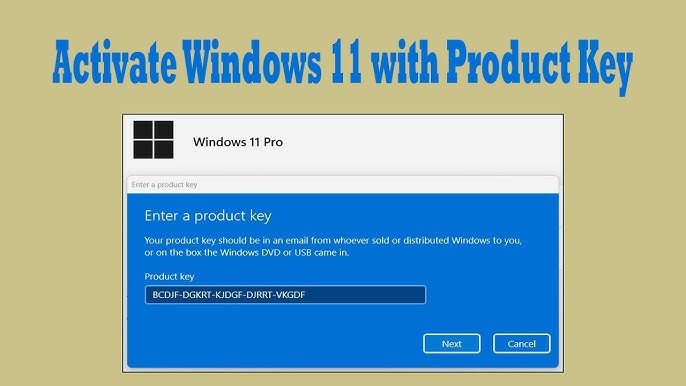
Your Product Key. This is a 25-character digit code formatted like this: XXXXX-XXXXX-XXXXX-XXXXX-XXXXX.
Where to find it:
On a New PC: Often pre-activated by the manufacturer. The key might be embedded in the BIOS/UEFI.
On a Retail Card or Receipt: If you purchased a physical copy.
In a Confirmation Email: If you bought a digital license online from a trusted retailer like YourSoftwareKeys.com.
On the COA Sticker: For older PCs, this Certificate of Authenticity was stuck to the device.
Pro Tip: If your PC came with Windows pre-installed, try the methods below first—the key might be automatically detected. Have your key ready just in case.
Method 1: Activate with a Genuine Product Key (The Standard Way)
This is the most straightforward path. Follow these steps:
Open Settings. Click the Start menu and select the gear icon, or press
Windows Key + Ion your keyboard.Navigate to Activation. Go to Update & Security > Activation (in Windows 10) or System > Activation (in Windows 11).
Click “Change product key.”
Enter Your Key. Carefully type in your 25-character product key. Take your time—confusing a ‘B’ for an ‘8’ or ‘O’ for a ‘0’ is a common frustration.
Follow the Prompts. Click Next and let Windows connect to Microsoft’s activation servers. If your key is valid and hasn’t been used on too many devices, you’ll see “Windows is activated” within a minute.
What if it fails? Don’t panic. Double-check the key for errors. If it’s correct, you might see an error code. Common ones include:
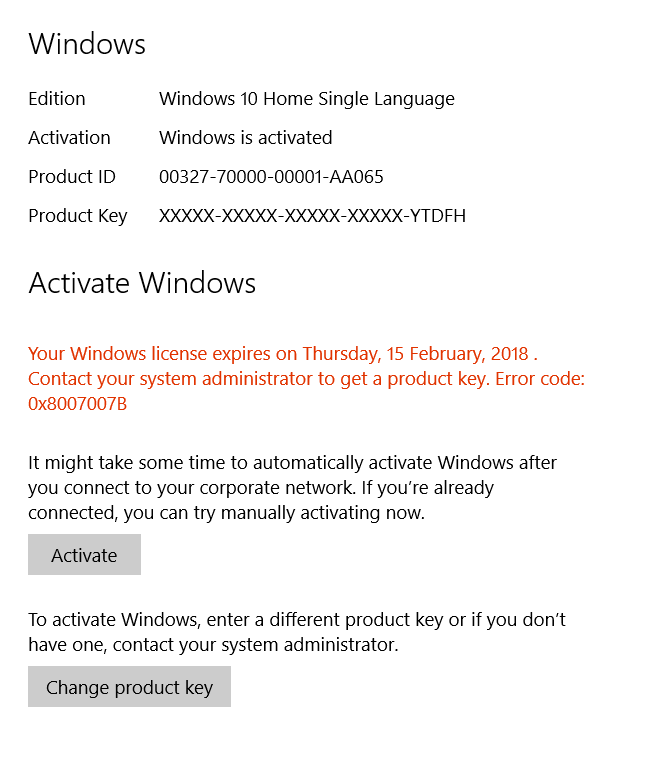
0x8007007B: Usually means the key format is invalid (check those characters!).
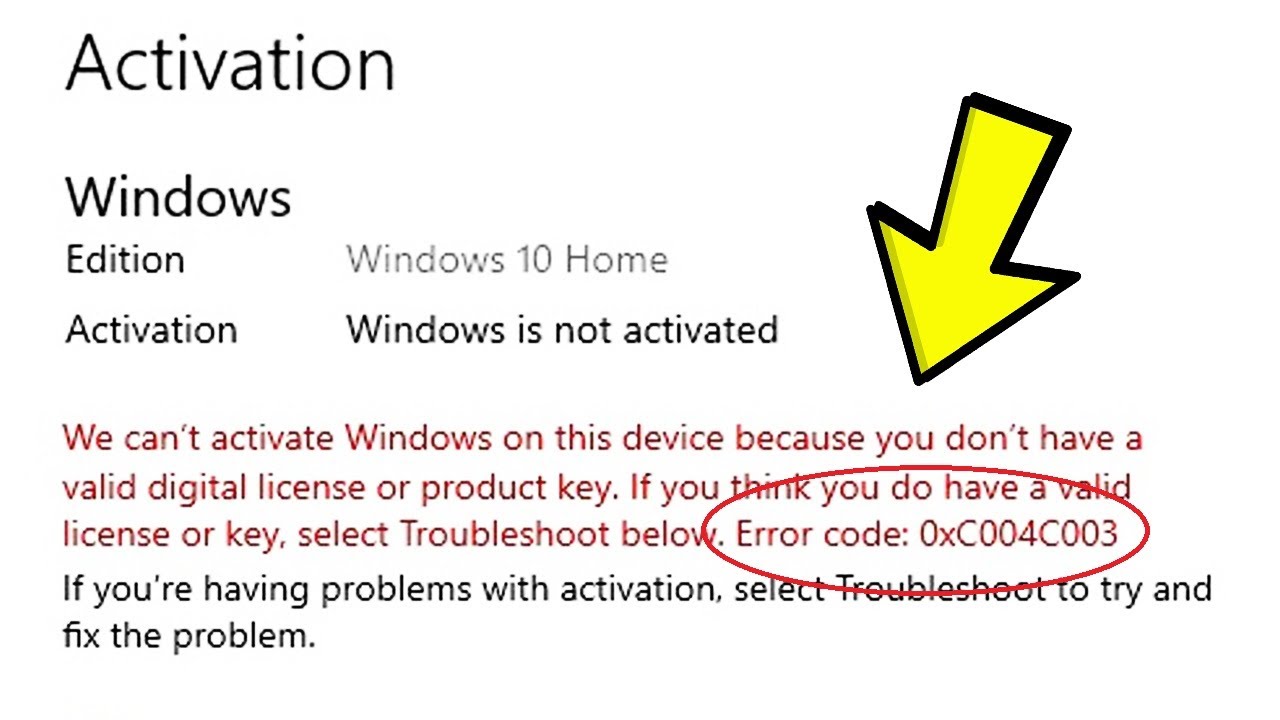
0xC004C003: The key has been blocked by Microsoft.
If you’re sure the key is correct but it fails, you may need to use the telephone activation method.
Method 2: Use the Activation Troubleshooter (For Hardware Changes)
Did you just upgrade your motherboard or make another significant hardware change? Your PC might think it’s a completely new device. The Activation Troubleshooter can help re-link your digital license.
Go to Settings > Update & Security / System > Activation.
Click Troubleshoot. Windows will try to detect the issue.
Select “I changed hardware on this device recently.”
Sign in with the Microsoft account you previously used to activate Windows on this device.
From the list, select your current device (it will likely be named “Desktop-XXXXX”) and check “This is the device I’m using right now.”
Click Activate.
This method is brilliant for transferring your digital license after hardware upgrades.
Method 3: Telephone Activation (The Old-School Lifeline)
If your PC can’t reach the internet or you’re getting specific errors, the telephone activation system is Microsoft’s trusty fallback. It’s like calling a tech-savvy friend who speaks in confirmation IDs.
In the Activation settings page, click “Troubleshoot.”
If online activation fails, you should see an option for “Use the Activation Wizard.” Click it.
Select your country or region to get a local toll-free number.
Call the number. You’ll go through an automated system.
You will be asked to read a long Installation ID (a 54-digit number) from your screen.
The automated system will then give you a Confirmation ID. Enter this code back into the wizard on your PC.
Click “Activate Windows.”
It feels retro, but it’s a rock-solid method that often works when others don’t.
“Help! My Key Isn’t Working.” Common Issues Solved.
“The product key didn’t work.” Triple-check for typos. Ensure you’re entering the key for the correct Windows version (e.g., a Windows 10 Home key won’t activate Windows 11 Pro).
Error 0xC004C003 (Key Blocked): This typically indicates the product key was sold illegitimately, often in violation of Microsoft’s Volume Licensing terms. It’s a key reason to purchase from authorized retailers.
The watermark won’t go away after activation. Sometimes a simple restart fixes this. If not, open Command Prompt as Administrator (search “cmd,” right-click, select “Run as administrator”) and type:
slmgr /rearmthen press Enter. Restart your PC.
Choosing the Right Windows License: Don’t Get Lost in the Jungle.
Not all licenses are created equal. Understanding the difference protects you and your wallet.
Retail License: What you buy in a store or from online retailers. It’s transferable. You can uninstall it from one PC and activate it on another.
OEM License (Original Equipment Manufacturer): This comes pre-installed on new PCs from companies like Dell or HP. It’s cheaper but is permanently tied to the first device it’s installed on. It’s not legally transferable to a new PC.
Volume License: For businesses and organizations buying in bulk. These keys have very specific terms and are not meant for individual consumer resale. Keys sold from questionable websites often fall into this category and risk being deactivated.
The YourSoftwareKeys.com Advantage: We provide genuine Retail licenses. You get a legitimate, transferable product key with clear, legal terms. No gray areas, just a clean activation.
How to Verify Your Windows is Genuinely Activated
You don’t just have to take the Settings page’s word for it. Here are two pro checks:
Command Prompt Check:
Press
Windows Key + R, typecmd, and hit Enter.Type
slmgr /xprand press Enter.A window will pop up stating whether your Windows is permanently activated.
System Information:
Press
Windows Key + R, typemsinfo32, and hit Enter.Look for “Windows Activation” in the right pane. It should state “Windows is activated.”
Q1: Can I activate Windows for free, and is it safe?
Short Answer:
While “free” activation methods exist, they are not safe, legal, or recommended. The only secure, legitimate way to activate Windows is with a genuine Microsoft product key.
Detailed Answer:
❌ “Free” Activation Methods (Avoid These):
| Method | How It Works | Why It’s UNSAFE |
|---|---|---|
| KMS Activators | Third-party tools mimicking corporate activation | 90% contain malware, ransomware, or backdoors |
| HWID Spoofers | Hardware ID manipulation | Bypasses security; often detected by antivirus |
| Cracks/Patch Files | Modify system files | Trigger Windows Defender; flagged as PUP/trojans |
| Illegal Keys | Stolen or generated keys | Microsoft blocks them; your license will deactivate |
🚨 The Real Risks of “Free” Activation:
Malware & Ransomware – Many activators contain password stealers, crypto miners, or ransomware
Identity Theft – Keyloggers capture banking credentials and personal data
System Instability – Modified system files cause crashes, Blue Screens, and update failures
No Security Updates – Pirated copies often block Windows Update, leaving you vulnerable
5 Legal Liability – Using cracked software violates Microsoft’s EULA and copyright lawNo Support – Microsoft won’t help if your pirated system fails
False Sense of Security – You think you’re protected, but your system is compromised
✅ The Safe, Legitimate Alternative:
A genuine Windows 10/11 product key from YourSoftwareKeys.com provides:
100% legal, Microsoft-verified activation
Full security updates and patches
Access to Microsoft Defender, BitLocker, and all Pro features
Reliable system performance
Transferable license (retail versions)
Technical support when you need it
💡 Our Recommendation:
Don’t risk your personal data, business files, or system integrity to save a few dollars. A genuine Windows license is a one-time investment in your security and peace of mind. At YourSoftwareKeys.com, we offer authentic Microsoft keys at competitive prices – so you can activate safely, legally, and affordably.
Q2: How can I activate Windows 10 permanently in 2025?
Short Answer:
To permanently activate Windows 10 in 2025, you need a genuine, perpetual Microsoft product key (retail license). One-time purchase = lifetime activation. No subscriptions, no renewals.
Detailed Answer:
🔑 The Only Way to Permanently Activate Windows 10:
Purchase a legitimate Windows 10 retail product key from an authorized reseller like YourSoftwareKeys.com. Enter it once, and your copy of Windows is activated forever – through all future updates, hardware changes (with reactivation), and for the lifetime of your device.
📋 Permanent Activation Methods Compared:
| Method | Is It Permanent? | Legitimate? | Safe? | Our Verdict |
|---|---|---|---|---|
| Retail Product Key | ✅ Lifetime | ✅ Yes | ✅ Yes | BEST – Recommended |
| OEM Key | ✅ Tied to 1 PC | ✅ Yes | ✅ Yes | Good for pre-builts |
| Digital License | ✅ Linked to MS account | ✅ Yes | ✅ Yes | Free after upgrade |
| KMS Activator | ❌ 180 days only | ❌ No | ❌ No | DANGEROUS – Avoid |
| HWID Spoof | ⚠️ Unreliable | ❌ No | ❌ No | Detected & Blocked |
🔄 What “Permanent” Means with a Retail Key:
| Scenario | Does Activation Survive? |
|---|---|
| Windows Updates (Feature/Cumulative) | ✅ Yes |
| Clean Reinstall (same PC) | ✅ Yes (enter key again) |
| Motherboard Replacement | ✅ Yes (reactivation required) |
| Transfer to New PC | ✅ Yes (deactivate old one first) |
| Microsoft Account Link | ✅ Yes (digital license follows you) |
| End of Support (Oct 2025) | ✅ Yes – still activated, just no new features |
⚠️ Important: Windows 10 Support Ends October 2025
Microsoft will end mainstream support for Windows 10 in October 2025. However:
Your activation does NOT expire – You can continue using Windows 10 forever
Security updates will stop (unless you pay for ESU)
You can still upgrade to Windows 11 for free using your Windows 10 license
✅ Our Advice:
Buy a Windows 10 Pro retail key now – it’s affordable, permanent, and entitles you to a free Windows 11 upgrade whenever you’re ready.
🛒 How to Get Permanent Activation from YourSoftwareKeys.com:
Choose your edition – Windows 10 Home, Pro, or multi-device packs
Purchase – Secure checkout, instant delivery
Activate – Enter key in Settings → Update & Security → Activation
Enjoy – Lifetime license, no recurring fees
👉 Shop Windows 10 Permanent Licenses Now
Q3: How do I activate Windows 10 without a product key?
Short Answer:
You have three legal options to use Windows 10 without immediately purchasing a key: install without a key, upgrade from Windows 7/8 for free, or use the free Windows 10 Education/Enterprise edition if eligible. However, these are either temporary or conditional – for permanent, full-featured activation, you need a genuine product key.
Detailed Answer:
✅ LEGAL METHOD 1: Install Windows 10 Without Entering a Key
Microsoft allows you to download, install, and use Windows 10 completely free – indefinitely – without ever entering a product key.
How It Works:
Download Windows 10 from Microsoft’s official site
During installation, click “I don’t have a product key”
Complete installation
Windows runs fully functional – forever
What You DON’T Get (The Limitations):
| Feature | Without Key | With Genuine Key |
|---|---|---|
| Personalization | ❌ Can’t change wallpaper, colors, theme | ✅ Full customization |
| Activation Status | ⚠️ “Windows isn’t activated” watermark | ✅ “Windows is activated” |
| Security Updates | ✅ Yes (still receive) | ✅ Yes |
| BitLocker Encryption | ❌ Not available | ✅ Included (Pro) |
| Remote Desktop | ❌ Not available | ✅ Included (Pro) |
| Hyper-V | ❌ Not available | ✅ Included (Pro) |
| Microsoft Support | ❌ Limited | ✅ Full support |
Verdict: This is a perfectly legal, risk-free way to use Windows 10 indefinitely. However, the watermark and lack of personalization annoy most users. Upgrade to a genuine license anytime to unlock full features.
✅ LEGAL METHOD 2: Free Upgrade from Windows 7/8.1
Microsoft’s free Windows 10 upgrade offer technically ended in 2016 – but it still works.
How It Works:
Install Windows 10 on a PC that previously had genuine Windows 7 or 8.1
During installation, skip entering a key
Windows 10 automatically detects the digital entitlement from your older license
Windows 10 activates for free – permanently
Eligibility:
Works with Windows 7, 8, or 8.1 product keys (OEM or retail)
Works even if you never previously upgraded
Also works with assistive technologies upgrade path
Verdict: If you have an old Windows 7/8 laptop or desktop, this is the best free, legal, permanent activation method available.
✅ LEGAL METHOD 3: Windows 10 Education/Enterprise for Students & Organizations
If you’re a student, teacher, or work for a qualifying organization, you may be eligible for Windows 10 Education or Enterprise – completely free.
How It Works:
Check if your school/organization participates in Microsoft Azure Dev Tools for Teaching or Volume Licensing
Download Windows 10 Education/Enterprise from their portal
Install using the provided product key
Free, permanent activation (while enrolled)
Verdict: This is a full, unrestricted version of Windows 10 – essentially Windows 10 Enterprise. If eligible, this is the best free option.
⚠️ ILLEGAL / UNSAFE METHODS – DO NOT USE:
| Method | Why It’s Dangerous |
|---|---|
| KMS Activators (KMSPico, Microsoft Toolkit) | Contain malware, ransomware, backdoors. 100% detected by antivirus. |
| eBay/G2A “Cheap Keys” | Often stolen volume license keys – Microsoft blocks them, your activation disappears. |
| HWID Generators | Manipulate hardware ID; unreliable and often Trojan-infected. |
| Registry Patches | Modify system files; cause instability and update failures. |
🚨 Remember: If it seems too good to be true, it is. Free activators always cost you more in the long run.
💡 Our Recommendation:
| Your Situation | Best Action |
|---|---|
| You have a Windows 7/8 key | Use free upgrade method – permanent activation |
| You’re a student/educator | Check Azure/OnTheHub for free Education edition |
| You just need Windows temporarily | Install without key – use unactivated |
| You want full features, no watermark | Buy genuine retail key – affordable, lifetime |
| You need to activate 5+ PCs | Buy multi-device key – volume savings |
| You want Windows 11 eligibility | Buy Windows 10 Pro key – free upgrade included |
🛒 Ready to Activate Permanently and Safely?
YourSoftwareKeys.com offers:
✅ 100% genuine Microsoft retail keys
✅ Instant digital delivery – 5 minutes or less
✅ Lifetime activation – no subscriptions
✅ Volume discounts for multiple PCs
✅ US-based support – we’re here to help
👉 Shop Windows 10 Product Keys Now
👉 Shop Windows 11 Product Keys Now
Final Thoughts: Activation Made Simple
Activating Windows is a simple, necessary step to get the secure, complete, and personalized experience you paid for. Whether you use a new product key, the troubleshooter, or even the telephone system, the process is designed to be manageable.
The golden rule? Always source your software keys from reputable, authorized retailers. It guarantees a smooth activation, ongoing security updates, and total peace of mind. A genuine license is an investment in your PC’s health and your own digital security.
Ready for a seamless experience? At YourSoftwareKeys.com, we specialize in providing authentic, affordable Microsoft product keys with instant delivery and expert support. Get your genuine Windows license today and unlock your PC’s full potential—watermark-free.
Sources & Further Reading:
Microsoft Official Support: Activate Windows
Cybersecurity & Infrastructure Security Agency (CISA): Tips on Preventing Malware
Microsoft Volume Licensing Terms: Product Terms
