Office 2024 Volume Mak
Office 2024 Volume MAK – Enterprise Licensing for Organizations
Welcome to YourSoftwareKeys.com, your trusted source for volume licensing solutions. Office 2024 Volume MAK (Multiple Activation Key) licenses provide organizations with a cost-effective, manageable way to deploy Microsoft Office across multiple devices within your organization .
Need a faster path for business, bulk, or server licensing?
If you are comparing MAK, KMS, server, CAL, or multi-license orders, use the business path for fit guidance and quote support before you browse product-by-product.
Showing all 2 results
-
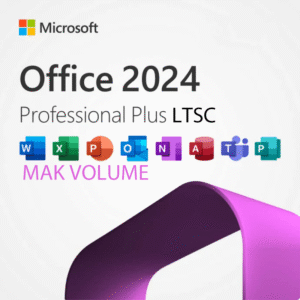
Office 2024 Volume Mak, Volume Mak
Price range: $929.99 through $4,999.00 Select options This product has multiple variants. The options may be chosen on the product page -
Office 2024 Volume Mak, Volume Mak
Price range: $1,199.00 through $1,999.00 Select options This product has multiple variants. The options may be chosen on the product page
Showing all 2 results
What is a MAK Volume License?
A Multiple Activation Key (MAK) is a volume licensing activation method that allows a single product key to activate a predetermined number of installations . Unlike retail keys that activate one device at a time, MAK volume licenses are designed for organizations deploying Office across many computers—ideal for businesses, schools, and non-profits.
Office 2024 Pro Plus LTSC Overview
Office 2024 Pro Plus LTSC (Long-Term Servicing Channel) is Microsoft’s latest perpetual release for commercial and government customers . It includes:
-
Core Applications: Word, Excel, PowerPoint, Outlook, OneNote, Publisher, and Access
-
No Subscription: One-time purchase with 5 years of support
-
Volume Licensing: Designed for organization-wide deployment
-
MAK Activation: Centralized key management for multiple devices
Why Choose Office 2024 Volume MAK?
| Feature | Retail License | Volume MAK License |
|---|---|---|
| Best For | Individual users | Organizations (5+ devices) |
| Activation | Per-device key entry | Single key for multiple activations |
| Management | Manual per device | Centralized via MAK or KMS |
| Deployment | Individual installations | Automated deployment tools |
| Cost per Device | Higher | Volume discounted |
| Transfer Rights | Limited | Organization-wide |
Office 2024 Pro Plus LTSC Key Features
-
Modern Collaboration: Real-time co-authoring in Word, Excel, and PowerPoint
-
Enhanced Security: Information Rights Management (IRM) and Data Loss Prevention (DLP) integration
-
Accessibility: Improved accessibility checker and assistive technology support
-
Performance: Optimized for Windows 11 with faster processing and lower memory usage
-
Long-Term Support: 5 years of security updates and bug fixes (no feature changes)
Volume Licensing Benefits for Organizations
-
Simplified Deployment: Use Microsoft Deployment Toolkit (MDT) or System Center Configuration Manager (SCCM) for automated rollouts
-
Centralized Activation: Track activations and manage keys through the Volume Licensing Service Center (VLSC)
-
Compliance: Proper licensing for software asset management and audits
-
Cost Savings: Significant discounts compared to retail or subscription models for 5+ users
System Requirements
-
Processor: 1.1 GHz or faster, 2+ cores (Intel, AMD, or Qualcomm)
-
RAM: 4 GB minimum (8 GB+ recommended)
-
Storage: 4 GB available disk space
-
Operating System: Windows 11, Windows 10, Windows Server 2022/2019
-
Display: 1280 x 768 or higher
-
.NET Version: 4.8 or higher required
Your Volume Licensing Solution
When you purchase Office 2024 Volume MAK licenses from YourSoftwareKeys.com, you receive:
-
Instant Delivery: MAK keys emailed immediately after purchase
-
Bulk Pricing: Volume discounts for 5+ licenses
-
Genuine Microsoft Licenses: Sourced through authorized channels
-
Replacement Warranty: Support for activation issues
Browse our Office 2024 Volume MAK options below or contact our sales team for custom quotes on 25+ licenses.
FAQ Section
1. What is a MAK (Multiple Activation Key) license?
Answer: A MAK (Multiple Activation Key) is a volume licensing activation method that allows one product key to activate a predetermined number of Office installations . Organizations receive a single MAK key that works for up to the number of licenses purchased. This simplifies deployment compared to managing hundreds of individual retail keys.
2. What’s the difference between MAK and KMS activation?
Answer: Both are volume activation methods, but they work differently :
-
MAK: Each device activates directly with Microsoft’s servers once (or periodically). Ideal for devices that are occasionally offline or not always connected to the corporate network.
-
KMS: Devices activate against a local KMS host on your network, requiring periodic reconnection (every 180 days). Better for permanently connected devices.
Office 2024 Volume MAK licenses can be used with either method—you’re not locked into one.
3. What is Office 2024 Pro Plus LTSC?
Answer: Office LTSC 2024 is Microsoft’s perpetual (non-subscription) version for commercial and government customers . “Pro Plus” includes Word, Excel, PowerPoint, Outlook, OneNote, Publisher, and Access. It receives security updates for 5 years but no new features during that period—ideal for regulated environments where stability is critical.
4. How many devices can one Office 2024 Volume MAK key activate?
Answer: A MAK key activates exactly the number of licenses you purchase . For example, if you buy 10 licenses, the MAK key can activate up to 10 devices. You can track activation count in the Volume Licensing Service Center (VLSC) and request additional keys if needed.
5. What’s the minimum order quantity for Office 2024 Volume MAK?
Answer: Microsoft volume licensing typically requires a minimum of 5 licenses for commercial customers . Our pricing reflects this—discounts begin at 5+ units, with deeper discounts for 10+, 25+, 50+, and 100+ quantities.
6. Can I use Office 2024 Volume MAK on both Windows and Mac?
Answer: Office LTSC 2024 for Mac is available separately but requires Mac-specific volume licenses . Our current offering is for Windows versions (Pro Plus). For Mac volume licensing, please contact our sales team for availability.
7. How do I deploy Office 2024 Volume MAK across my organization?
Answer: Several deployment methods are available :
-
Office Deployment Tool (ODT): Microsoft’s free tool for customized installations (XML configuration, silent installs)
-
Microsoft Deployment Toolkit (MDT): For integrated OS and application deployment
-
System Center Configuration Manager (SCCM): For enterprise-scale automated deployment
-
Group Policy: For managing Office settings after deployment
We provide basic deployment guidance; Microsoft’s documentation offers detailed technical instructions.
8. How do I activate Office 2024 with a MAK key?
Answer: Activation methods include :
During installation (via ODT): Include your MAK key in the configuration XML
After installation:
-
Open an Office application (Word, Excel)
-
Go to File > Account > Product Activation
-
Enter your MAK key when prompted
-
Follow online activation prompts
Via Command Line: Use cscript ospp.vbs /inpkey:XXXXX-XXXXX-XXXXX-XXXXX-XXXXX from Office installation directory
9. How do I track how many activations I’ve used?
Answer: Log into the Microsoft Volume Licensing Service Center (VLSC) at https://www.microsoft.com/licensing/servicecenter . Under “Licenses and Keys,” you can view:
-
Total licenses purchased
-
Activations used to date
-
Activation history
-
Remaining activations
This helps ensure compliance and plan for additional purchases.
10. Can I convert my MAK licenses to KMS?
Answer: Yes! Organizations with sufficient devices (typically 5+ for KMS) can configure a KMS host and use KMS client keys for activation . Your MAK licenses entitle you to use either activation method. Microsoft provides KMS host keys in the VLSC.
11. What’s the difference between Office LTSC 2024 and Microsoft 365?
Answer: Key differences include :
| Feature | Office LTSC 2024 | Microsoft 365 |
|---|---|---|
| Payment | One-time purchase | Monthly/annual subscription |
| Updates | Security only (5 years) | New features continuously |
| Cloud Services | None included | 1TB OneDrive, Teams, Exchange |
| Devices per User | 1 PC/Mac | Up to 5 devices |
| Best For | Stable, regulated environments | Collaborative, cloud-connected teams |
12. Are Office 2024 Volume MAK licenses perpetual?
Answer: Yes, Office LTSC 2024 licenses are perpetual—you own them forever . However, Microsoft provides security updates for 5 years from release date . After that, the software continues working but receives no further security patches.
13. Can I upgrade from Office 2019 or 2021 to Office 2024 with volume licensing?
Answer: Volume licensing does not include free upgrades. You need to purchase new licenses for Office 2024. However, volume pricing applies, and you can deploy alongside older versions during transition periods.
14. What happens if I exceed my MAK activation limit?
Answer: If you attempt to activate more devices than licenses purchased, activation will fail. You have two options :
-
Purchase additional licenses to increase your activation count
-
Reactivate after decommissioning old devices (activations can be reclaimed)
Contact our sales team for additional licenses—we can provide new MAK keys or increase activation limits on existing keys.
15. Can I use Office 2024 Volume MAK for remote or hybrid workers?
Answer: Yes! Volume licenses allow installation on organization-owned devices regardless of location . For employee-owned devices (BYOD), consider Microsoft 365 Business licenses instead. MAK licenses are designed for company-managed hardware.
16. What’s included in Office 2024 Pro Plus LTSC?
Answer: Full application set includes :
-
Word – Document creation and editing
-
Excel – Spreadsheets, data analysis, charts
-
PowerPoint – Presentations and slideshows
-
Outlook – Email, calendar, contacts
-
OneNote – Digital note-taking
-
Publisher – Desktop publishing (PC only)
-
Access – Database management (PC only)
All applications are installed locally—no internet required for core functionality.
17. How do I verify Office 2024 Volume MAK activation?
Answer: Multiple verification methods :
Within Office:
-
Open any Office application
-
Go to File > Account
-
Under Product Information, it should show “Activated” with product name
Via Command Line:
-
Navigate to Office installation directory
-
Run:
cscript ospp.vbs /dstatus -
Shows license status and last 5 characters of key
In VLSC:
Login to check activation counts against your licenses.
18. What support options are available for volume license customers?
Answer: Volume license customers receive :
-
Access to Microsoft’s Volume Licensing Support Center
-
Our priority support for activation issues
-
Deployment guidance documentation
-
Replacement warranty for defective keys
For technical issues with Office applications themselves, Microsoft’s standard support channels apply.
19. Can non-profits and educational institutions purchase Office 2024 Volume MAK?
Answer: Yes! Microsoft offers discounted pricing for qualified non-profits and educational institutions through specific programs . Please contact our sales team with your organization details for applicable pricing—standard commercial volume pricing may not reflect these special rates.
20. What documentation do I receive with volume license purchases?
Answer: Your purchase includes :
-
MAK product key(s) via email
-
Invoice for your records
-
VLSC access instructions for tracking activations
-
Deployment guidance resources
For audit purposes, retain invoices and VLSC records showing license ownership.
Bonus: Category H1 Tag
Office 2024 Volume MAK | Pro Plus LTSC for Organizations
How This Category Page Complements Your Product Page
| Element | Category Page | Product Page |
|---|---|---|
| URL | /product-category/volume-mak/office-2024-volume-mak/ | /product/office-2024-pro-plus-ltsc-mak-volume/ |
| Focus | Volume licensing education, MAK vs KMS, deployment options | Specific product details, price, buy button |
| Keywords | “Office 2024 Volume MAK” (broad) | “Office 2024 Pro Plus LTSC MAK Volume” (specific) |
| Links | Links TO product pages | Links to cart/checkout |
| Content | Overview, comparison tables, volume licensing FAQ | Specifications, system requirements, single product FAQ |
| Internal Linking | “Browse our Office 2024 Volume MAK options below” | “Related products” (if any) |